MyFitnessPal Logo

Build your own MyFitnessPal dashboard

Meals, exercise, and check-ins from your MyFitnessPal Premium export.

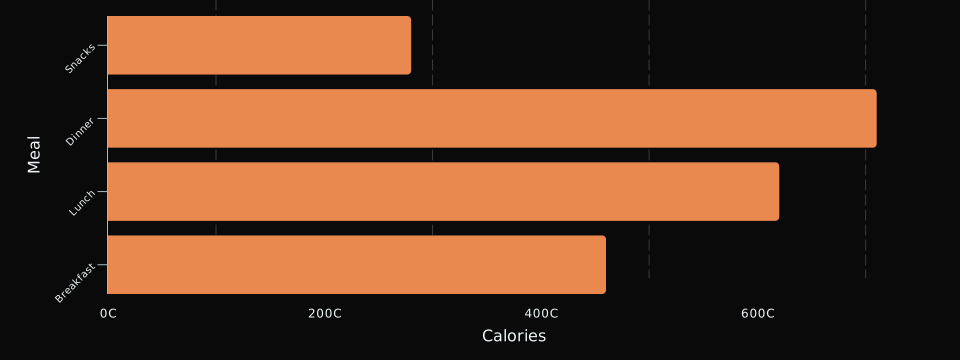
Calories by meal
An example DayDash chart of MyFitnessPal data, showing calories by meal

Example chart rendered in DayDash. Sample data shown for illustration.

Years of food logging, on one timeline

MyFitnessPal’s Premium export packs your whole diary into three files: nutrition summarized by meal and time, every exercise entry, and your check-in measurements. That is a long, consistent record most people have never charted, and it sits naturally next to the sleep, activity, and spending data DayDash already holds.

DayDash imports the export as it arrives and keeps each meal as its own row, so the day-part detail survives.

Questions people explore with this

  • How does my protein intake line up with the weeks I train hardest?
  • What does my calorie pattern look like across a whole year rather than a single day?
  • Which meal carries most of my sugar, and has that shifted over time?
  • How do my logged weigh-ins sit next to what my scale or watch recorded?

What comes across

Calories, macronutrients and micronutrients per meal and time; exercise entries with calories, minutes, sets, reps and weight, plus tracker step counts and calorie adjustments; and your weight, neck, waist and hip check-ins along with any custom measurements in your account. Each upload replaces the last, so re-export whenever you want the latest entries. For day-to-day syncing, MyFitnessPal can share meals with Apple Health and Health Connect, and DayDash reads those directly.


What you get

3 kinds of MyFitnessPal data

Pick the ones you care about. Every field becomes something you can chart, filter, and compare against everything else you track.

Nutrition by Meal

Calories, macronutrients, and micronutrients for each meal you logged, one row per meal and time. Vitamin A, Vitamin C, Calcium, and Iron are percentages of the daily value.

Exercise

Exercises you logged with calories burned, duration, sets, reps, and weight, plus steps and calorie adjustments synced from trackers.

Weight & Measurements

Weight, neck, waist, and hip measurements plus any custom or tracker-synced measurements in your account.

How it works

1

Connect MyFitnessPal

Upload the export file. DayDash imports every row, and each new upload replaces the last.

2

Pick your fields

Choose only the data types you want. Nothing you don't select is ever synced.

3

Chart anything

Build dashboards that put MyFitnessPal next to everything else you track — spending, sleep, screen time, the weather.

Worth knowing: MyFitnessPal Premium exports your diary as a zip of three CSV files (Reports → Export on the website, or More → Nutrition → Export in the app). Upload that zip as it arrives. The file doesn't update on its own, so export again and replace it when you want newer entries; for day-to-day syncing, MyFitnessPal can also share meals with Apple Health and Health Connect, which DayDash reads directly.

Your MyFitnessPal data stays yours

DayDash is encrypted with keys only you hold. Your data is encrypted before it's stored — we can't read it, and neither can anyone who gets our database.

Read how the encryption works

Ready to see your MyFitnessPal data?

Sign up during open beta and lock in early-adopter pricing.

DayDash is not affiliated with, endorsed by, or sponsored by MyFitnessPal. MyFitnessPal and related marks are trademarks of their respective owners, used here only to describe what DayDash connects to.