Anything your agent can reach, on the same timeline as everything else
Some of the most interesting data you have never leaves your machine. A flashcard app with a local API. A script that scrapes a router, a smart meter, a reading log. An export from a service that has no API at all. If an AI agent can get at it, it can put it in DayDash.
Connect the DayDash MCP server to Claude, Cursor or any other MCP client and ask it to create a data source. The agent declares the sections and their fields, hands over the rows, and DayDash charts them next to your sleep, your spending and your working hours — end-to-end encrypted, like every other source.
What people connect
There is no fixed schema, because the schema is whatever the agent declares. Some of the things an agent can pipe in:
- Local apps with a local API — flashcard reviews, a self-hosted home server, anything listening on
localhost. - Scripts and command output — a nightly job’s numbers, a repository’s commit counts, a backup log.
- Exports with no connector — a service’s data download, parsed by the agent into the fields you actually want.
- Things the agent works out for you — a summary it computes from several files, or a series it assembles from an API that only returns one day at a time.
One data source can hold several sections, each a table of rows with its own fields, and the agent picks the field types — dates, durations, categories, counts — so the charts come out right.
Questions people explore with this
- How does the thing only my laptop knows about line up with my sleep, or my working hours?
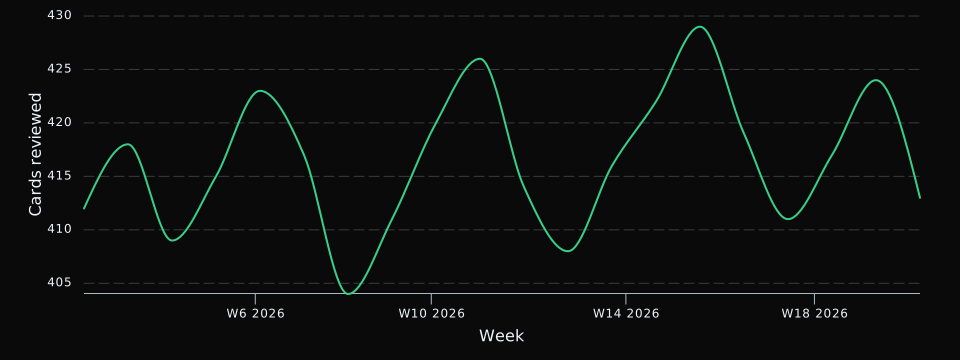
- What does a year of a habit I’ve been logging in some app actually look like as a chart?
- Can I put a series my agent assembles next to my automatic data on one axis?
- Which weeks were heaviest for the numbers I only track by hand?
How it works
The MCP server runs inside the DayDash desktop app. Open Account → MCP there to connect your MCP client, then ask the agent for a data source. It reads the format from DayDash, creates the source in one call with the sections, fields and rows, and DayDash syncs it. To add newer rows, the agent pushes the whole file again; each push replaces the last, so corrections show up rather than piling up.
Sections and fields are fixed once the source exists. If the shape of your data changes, ask the agent for a new source.
A note on the format
Rows travel as JSON or as CSV, whichever the agent prefers: CSV is a fraction of the size for big tables, JSON keeps nested values intact. Dates are plain calendar days or timestamps with an offset, so a day is the day you meant wherever you view it.